Conclusion Builder (Google Docs Add-on Sidebar)

A guided, step-by-step sidebar that helps students turn their reasons and evidence into a polished conclusion paragraph with prompts, sentence starters, and a one-click insert.


Screenshots
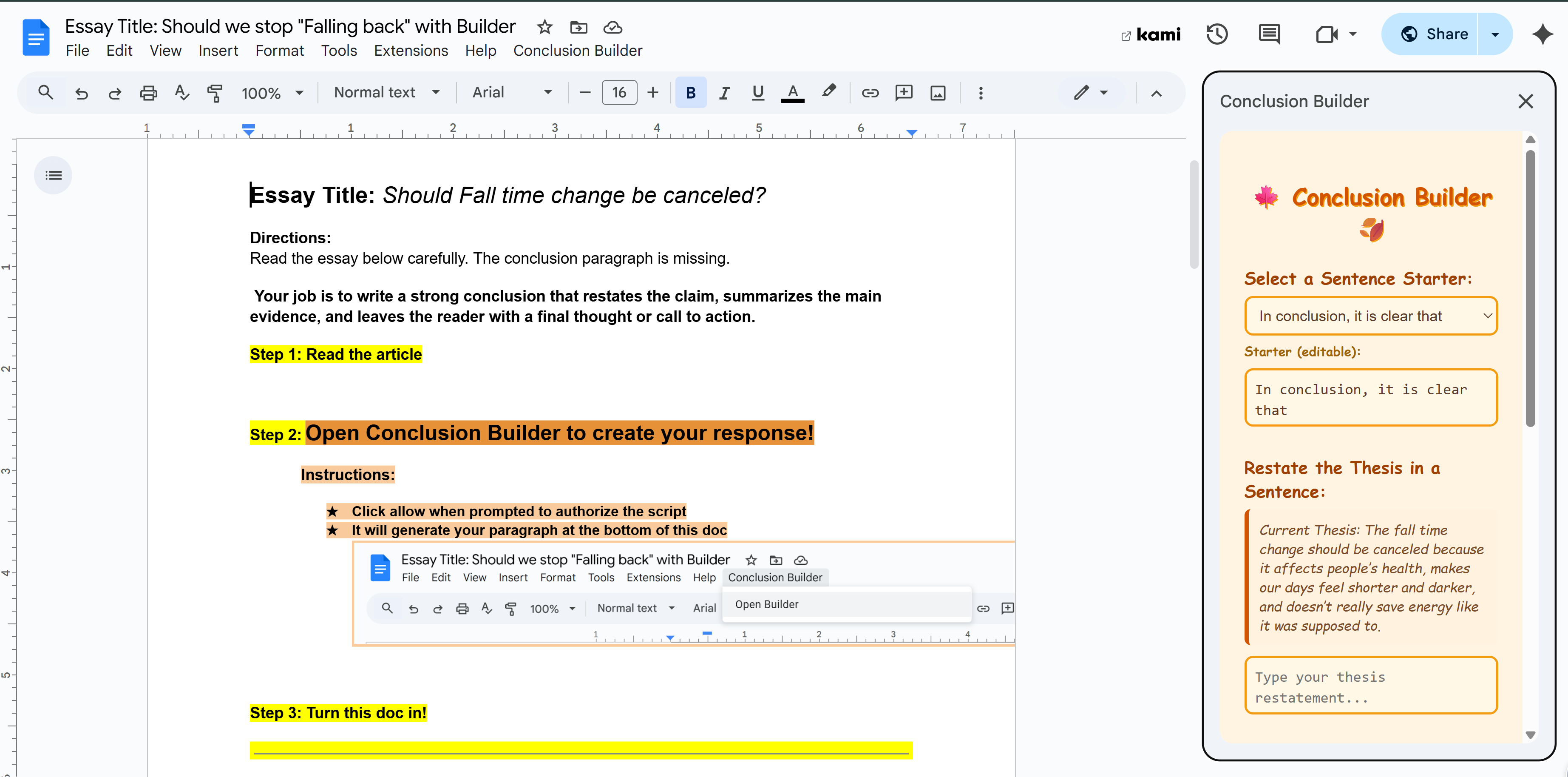
Sidebar open in Google Docs showing Conclusion Builder steps
Sidebar Open
Social image Preview of features
Build & Preview
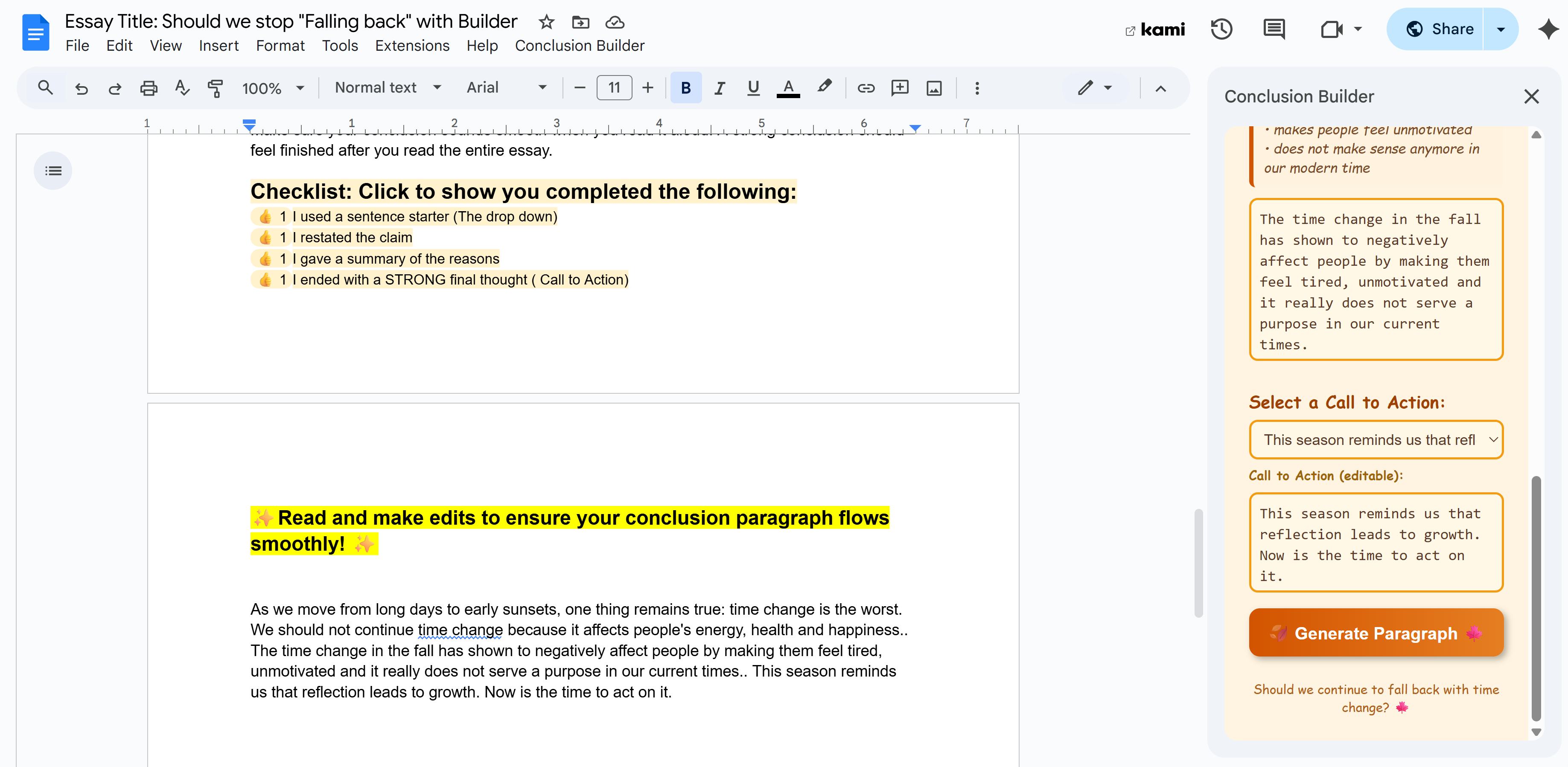
Inserted conclusion paragraph in the doc body
Inserted Paragraph

Where it runs: Google Docs (sidebar add-on via Apps Script).
How to open: Extensions → Conclusion Builder → Open Builder (or the custom menu “Conclusion Builder”).
What it does: Shows a sidebar, guides a conclusion, and inserts the final paragraph into the current doc only when the user clicks “Insert.”
How to get this builder: Purchase and recieve the copy link. Send the link to your students and they work!

How to Use the Conclusion Builder

Data Use & Privacy

The Conclusion Builder processes text only within the current Google Doc to assemble a conclusion paragraph. We do not transfer document content to external servers, sell data, or share data with third parties. No persistent personal data is stored by this add-on.

See our Privacy Policy and Terms of Service.

Support

Questions about verification or functionality? Contact us via the contact form.

$5 — One-Time Purchase

Purchase Conclusion Builder

Includes a Google Doc copy link you can share with your class.