RACES Constructed Response Builder
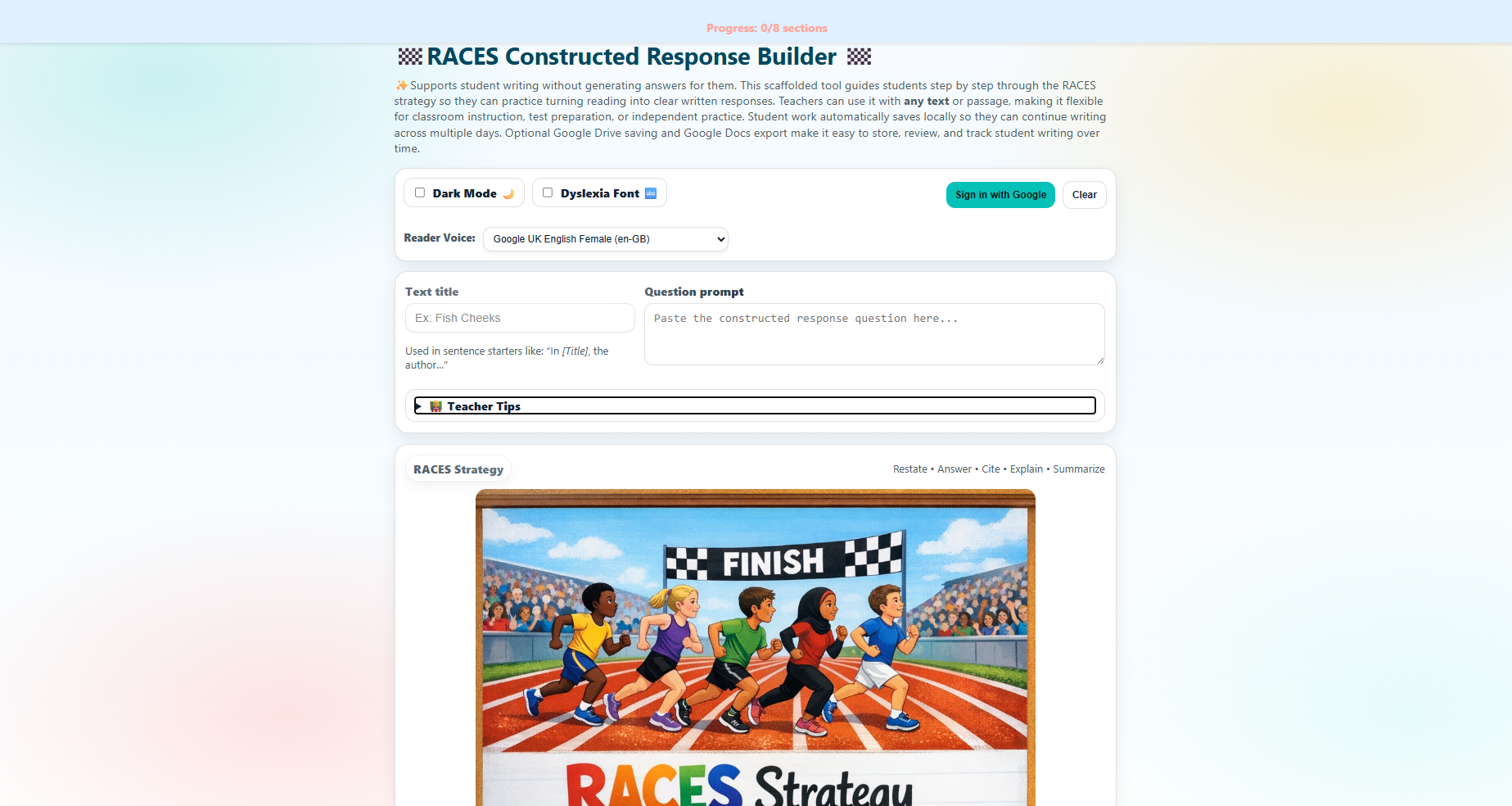
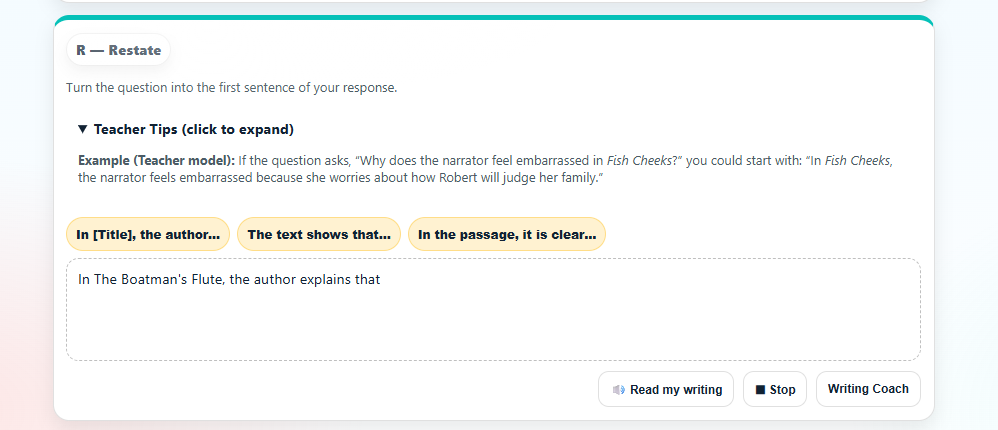
A student-friendly writing tool that supports constructed responses without doing the writing for students. Students build step-by-step using the RACES strategy: Restate, Answer, Cite, Explain, Summarize — with sentence starters, evidence reminders, and read-aloud accessibility.
Tool Preview
Video Walkthrough
What This Tool Supports
Built for strong constructed responses, without giving students the answer:
- RACES step-by-step flow: Restate → Answer → Cite → Explain → Summarize.
- Sentence starter support: Helps students begin each section confidently.
- Evidence reminders: Prompts students to pull the strongest quote, not the longest.
- Explanation scaffolds: Reinforces evidence → reasoning connections.
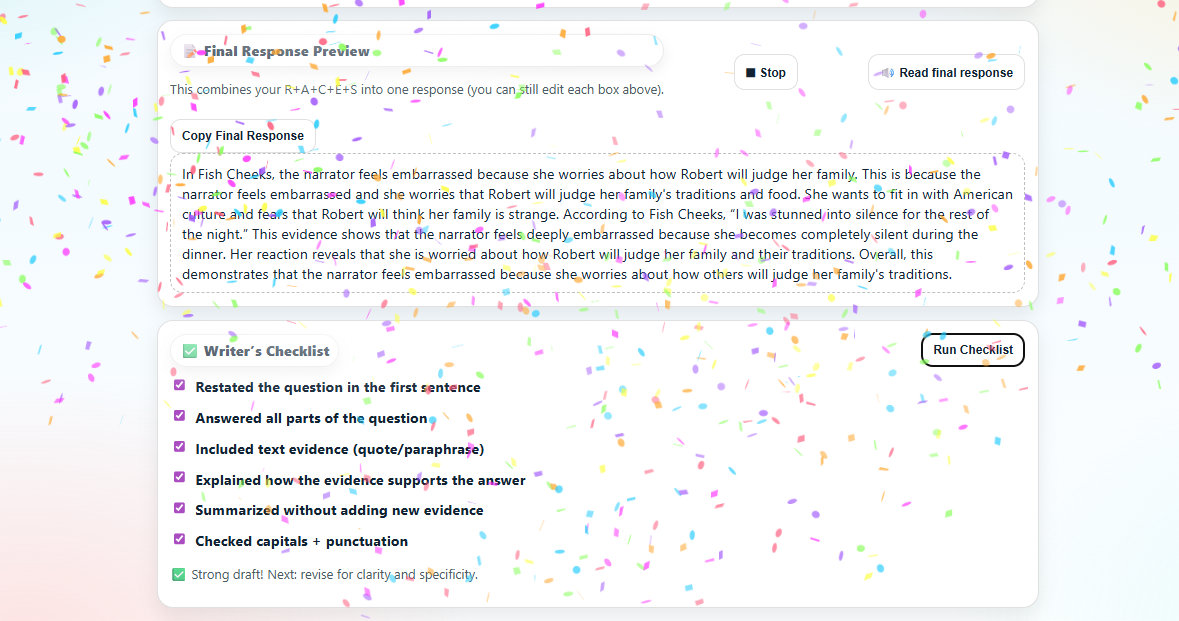
- Editable final response view: Students can revise while keeping structure.
- Read-aloud accessibility: Supports struggling readers and writers.
- Optional voice selection: Lets students choose a comfortable reader voice (if enabled).
- Dyslexia-friendly font option: Improves readability.
- Dark mode: Reduces eye strain.
- Confetti celebrations: Motivates students through progress milestones.
- Local autosave: Students can safely work across days.
- Optional Drive + Docs export: Save to Google Drive and export to Google Docs (if enabled).
How It Works in Class
Simple routine teachers can use with any text:
- Choose any passage + question: Use your curriculum text, an assessment passage, or a short article.
- Model once, then release: Complete one response together, then students work independently.
- Coach without giving answers: Sentence starters guide structure while students supply ideas and evidence.
- Revise with the checklist: Students review their final response and strengthen clarity and evidence.
- Save + continue later: Local autosave supports multi-day writing without lost work.
Standards Alignment
Designed to reinforce evidence-based writing and reading response routines aligned to common ELA expectations. Works across grade levels because teachers supply the text and prompt.
Common alignment targets:
- Text evidence: Cite relevant evidence to support analysis and responses.
- Written response structure: Clear restatement, direct answer, explanation, and wrap-up.
- Language and conventions: Clarity, grammar, and academic tone during revision.
Data Use & Student Privacy
This tool is designed for classroom writing support. If enabled, saving features may store student work locally in the browser and optionally in Google Drive / Google Docs (teacher-controlled).
For more, see our Privacy Policy and Terms of Service.
Support
Have questions about using the RACES Builder with your students, or interested in a school/district license? Reach out through the Made by Maggie contact form and I’ll be happy to help.
Classroom & School Access
Individual Teacher License: $12/school-year
Includes 1 year of access for one teacher and all students on that teacher’s roster, plus updates added during your active subscription.
Future tool expansions are included during active subscription.