6th–8th Grade Reading Skills Trainers + Teacher Dashboards
Three dedicated, standards-aligned reading practice systems for Grades 6, 7, and 8. Students work with engaging passages, charts, images, podcasts, videos, and complex test-style questions while using built-in highlighting, cross-out, read-aloud, dark-mode, and accessibility tools. Teachers can launch practice or benchmark sessions, monitor students live, and use detailed performance data to guide instruction.
Three complete grade-level versions are included:
- Grade 6: Grade-specific passages, practice sets, benchmarks, Georgia standards reporting, and teacher dashboard.
- Grade 7: Grade-specific texts, multimedia sources, complex question types, benchmark mode, and Georgia standards-based reporting.
- Grade 8: Advanced passages, reasoning-focused DOK 3–4 tasks, multimedia practice, benchmark mode, detailed teacher data, and Georgia standards-based reporting.
Tool Preview
How to Use the Grades 6–8 Reading Skills Trainers
What Students Can Practice
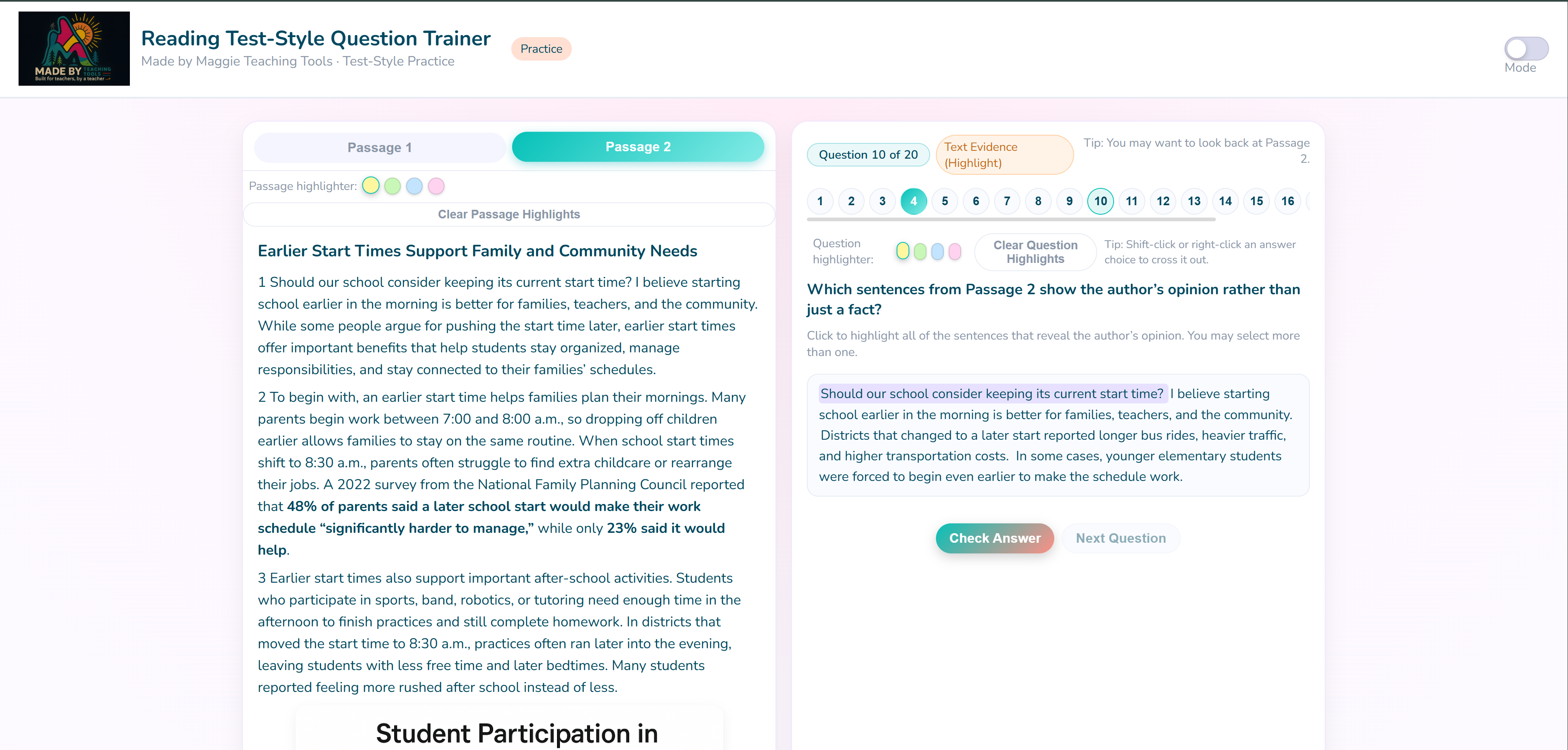
Built around common test-style reading questions:
- Dedicated Grade-Level Content: Separate Grade 6, Grade 7, and Grade 8 passages, questions, standards, and benchmark assessments.
- Multiple Passage Topics: Practice with engaging literary, informational, argumentative, historical, and paired texts.
- Part A / Part B Questions: Answer layered questions that require analysis and supporting evidence.
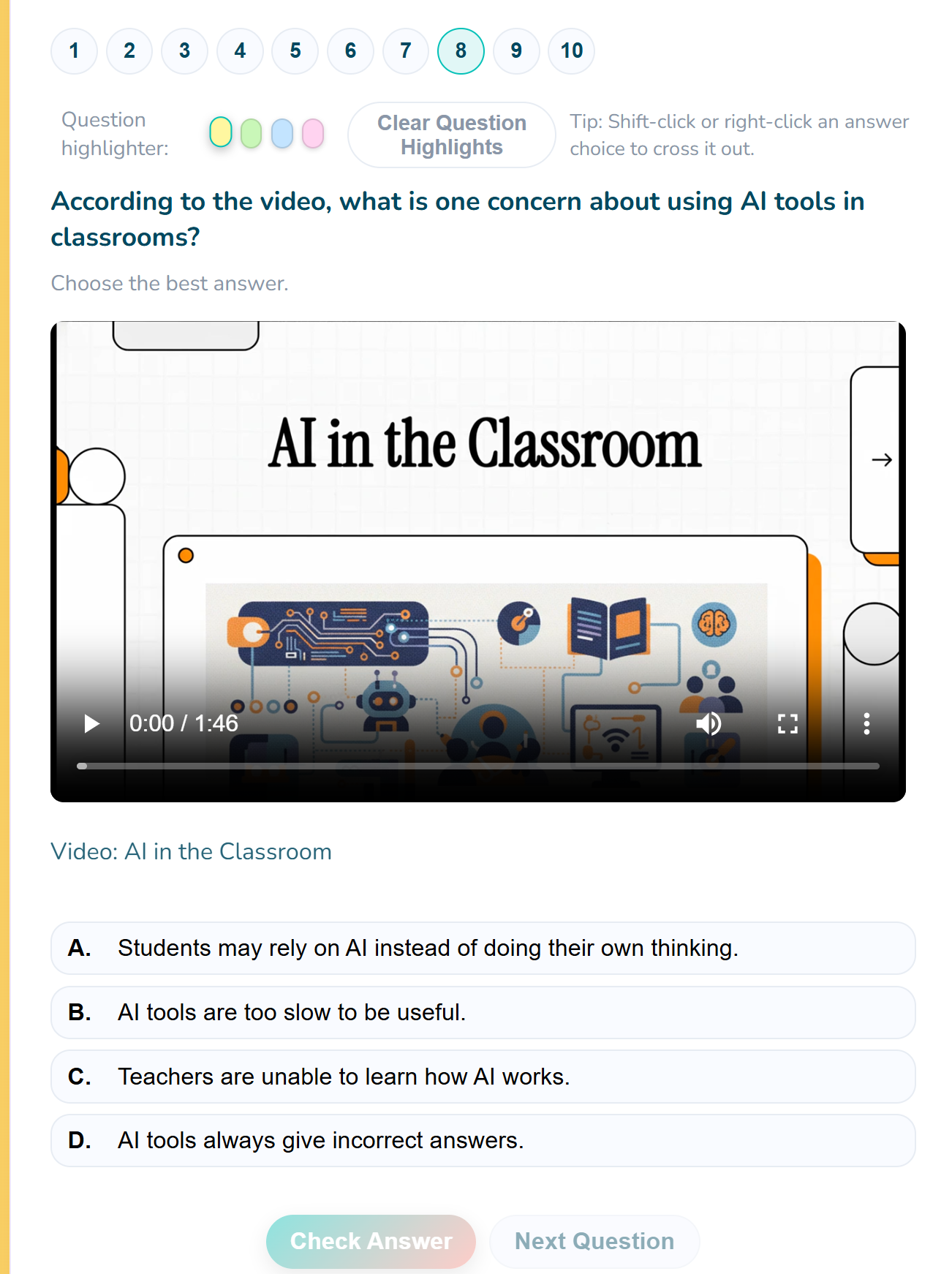
- Multiple Choice: Select the strongest answer from carefully designed, reasoning-based choices.
- Multi-Answer Selection: Evaluate several choices and select every response supported by the text.
- Sequencing: Drag and drop events, steps, or ideas into the correct order.
- Sorting and Classification: Place details, claims, evidence, or ideas into the correct categories.
- Matching: Connect related ideas, such as claims and evidence or terms and explanations.
- Dropdown Questions: Complete sentences and analyses using embedded answer choices.
- Highlight-to-Answer: Select exact text evidence directly from a passage.
- Charts and Visual Sources: Analyze graphs, diagrams, images, and visual data.
- Podcast and Video Questions: Practice listening, multimedia analysis, and integration of information across sources.
- Linked Passage Auto-Flip: The trainer automatically opens the passage connected to the current question.
- Practice and Benchmark Modes: Build skills during practice sessions and measure standards mastery through grade-level benchmarks.
- Student Accessibility Tools: Use read-aloud, highlighting, cross-outs, dark mode, and a dyslexia-friendly font.
- Progress and Encouragement: Question navigation, progress indicators, and celebrations help students stay engaged.
Teacher Dashboard
Launch sessions fast. Monitor progress live. Use data immediately.
- Dedicated Grade-Level Dashboards: Use separate Grade 6, Grade 7, and Grade 8 systems with content and reporting aligned to each grade.
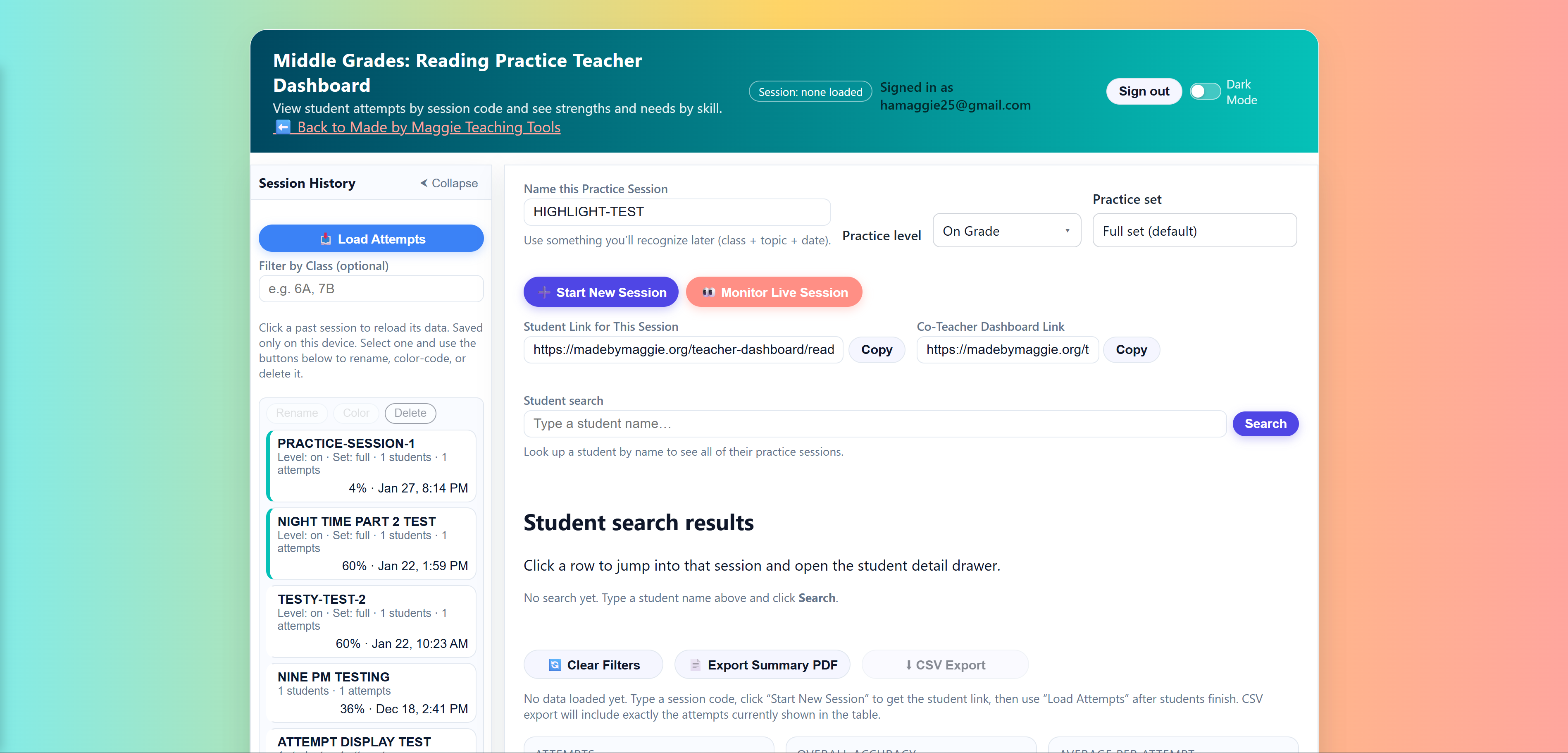
- Create Practice Sessions: Select a support level and assign a full 25-question set or a shorter 10-question mini set.
- Choose the Reading Level: Each grade includes Below Level, On Level, and Above Level options with grade-appropriate text complexity.
- Launch Benchmark Assessments: Measure performance using grade-specific standards-based benchmark sessions.
- Generate Secure Links: Share student links and co-teacher links directly from the dashboard.
- Flexible Student Sign-In: Students may join with Google sign-in or simple name entry.
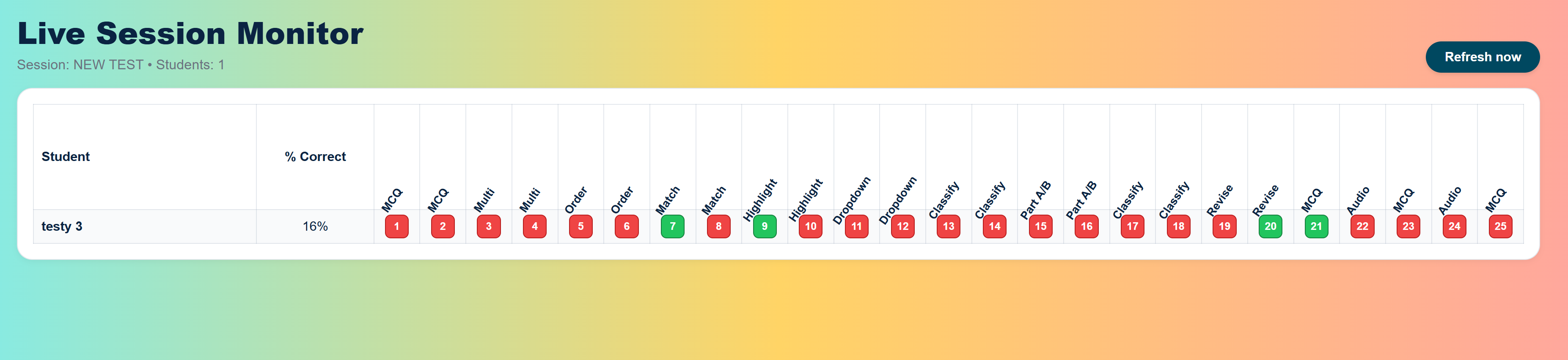
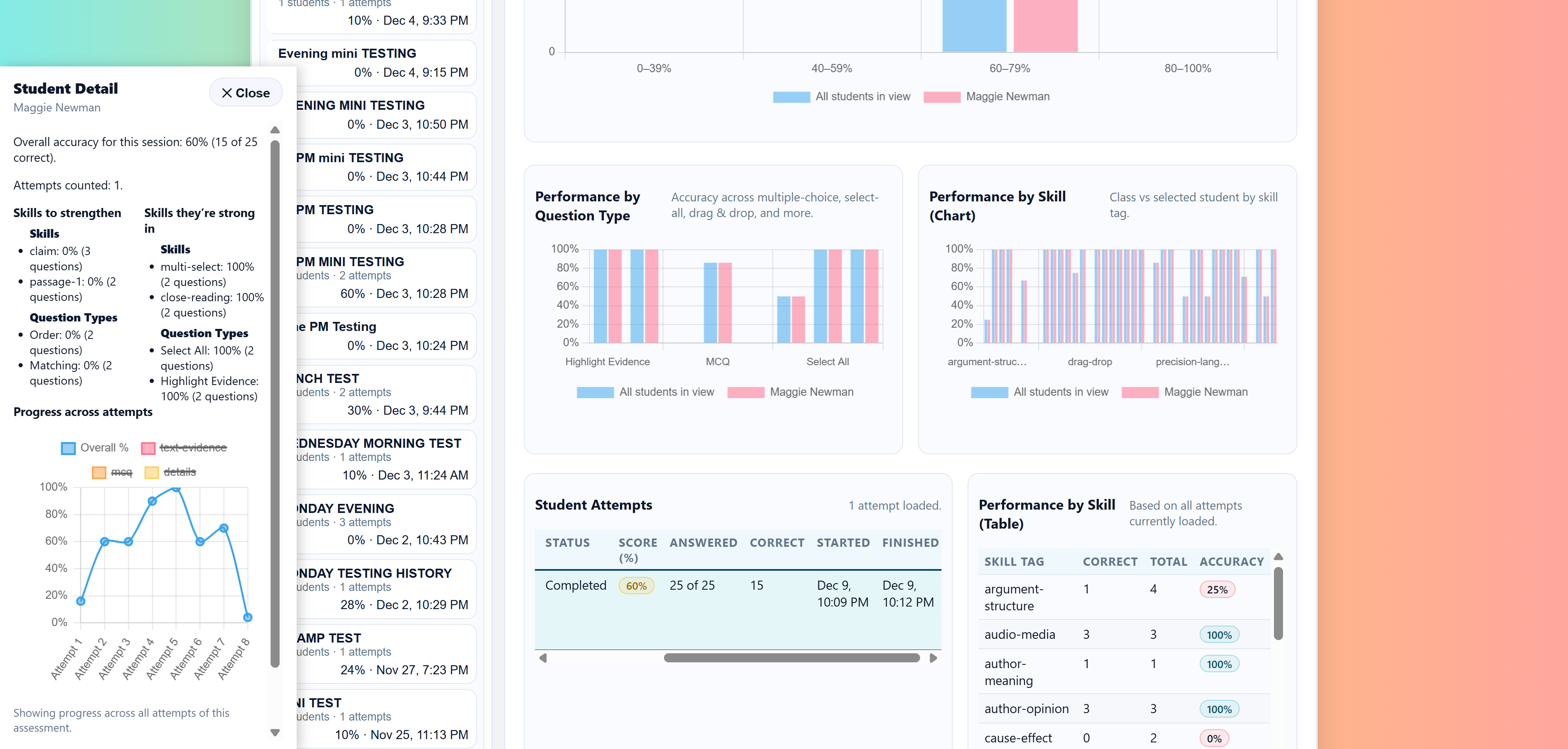
- Monitor Progress Live: See answered questions, correct and incorrect responses, completion status, and question types in real time.
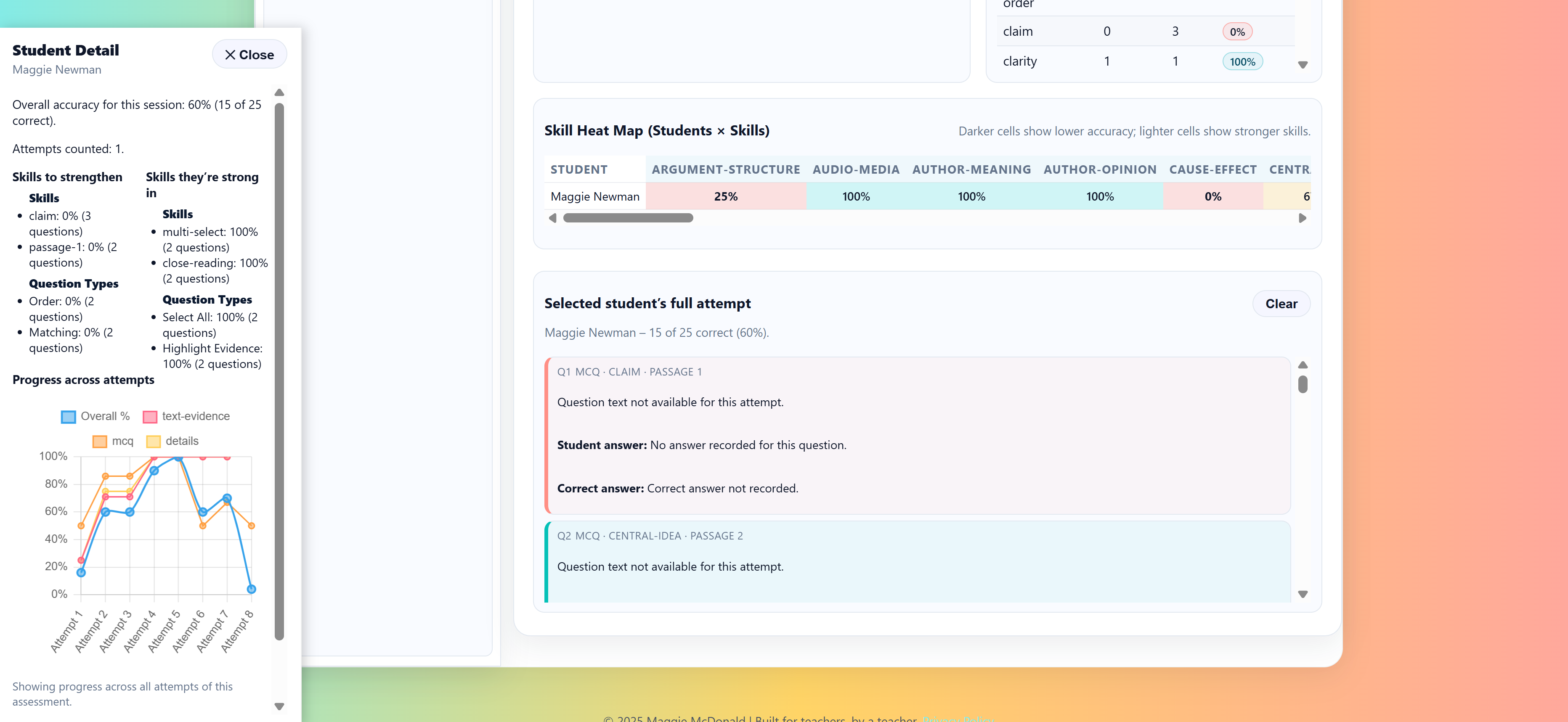
- Review Class Performance: View overall scores, score bands, question-type accuracy, skill accuracy, and standards performance.
- Identify Instructional Priorities: See the class’s strongest standards and highest-priority standards after benchmark sessions.
- View Individual Strengths and Needs: Open a student’s full attempt, question-by-question responses, and student-friendly skill feedback.
- Track Growth Over Time: Compare student performance across practice and benchmark sessions.
- Use Session History: Rename, organize, revisit, and compare previous sessions.
- Export Reports: Download PDF or CSV data for documentation, conferences, intervention planning, and instructional decisions.
Georgia Standards Alignment for Grades 6–8
Each grade-level trainer uses its own Georgia ELA standards catalog, grade-appropriate passages, student-friendly skill descriptions, and standards-based benchmark reporting. Teachers see official standards language while students receive clear explanations of the skills they demonstrated or still need to strengthen.
Standards-based practice and reporting include:
- Reading Analysis: Text evidence, inference, central idea, theme, summary, and development of ideas.
- Structure and Craft: Text structure, author’s choices, point of view, perspective, purpose, and word meaning.
- Source Integration: Paired passages, charts, images, audio, video, and information presented across multiple formats.
- Argument and Reasoning: Claims, evidence, reasoning, relevance, credibility, and evaluation of support.
- Language and Vocabulary: Academic vocabulary, context clues, figurative language, grammar, usage, and conventions.
- Student-Friendly Feedback: Students receive clear strengths and priority areas connected to the skills they practiced.
- Teacher Standards Reporting: Benchmark dashboards identify strongest standards, priority standards, and individual student performance.
Data Use & Student Privacy
The student trainer runs in the browser, and the teacher dashboard is designed for classroom reporting and progress monitoring. Student responses are associated with the practice session the teacher creates so teachers can view results and session history.
For more, see our Privacy Policy and Terms of Service.
Support
Have questions about how to use this reading trainer with your students, or interested in a school/district license? Reach out through the Made by Maggie contact form and I’ll be happy to help.
Classroom & School Access
Individual Teacher License: $49/year
Includes the Grade 6, Grade 7, and Grade 8 reading trainers, teacher dashboards,
benchmark assessments, one teacher, and all students on that teacher’s roster.
Updates added during the active license year are also included.
Future benchmark and practice level expansions are included during active subscription.